Speak out loud with live AI in situations you cannot memorize. Start with everyday English before the wards, then practice patient encounters, OSCE/OET, handovers, and presentations—with feedback after every attempt.
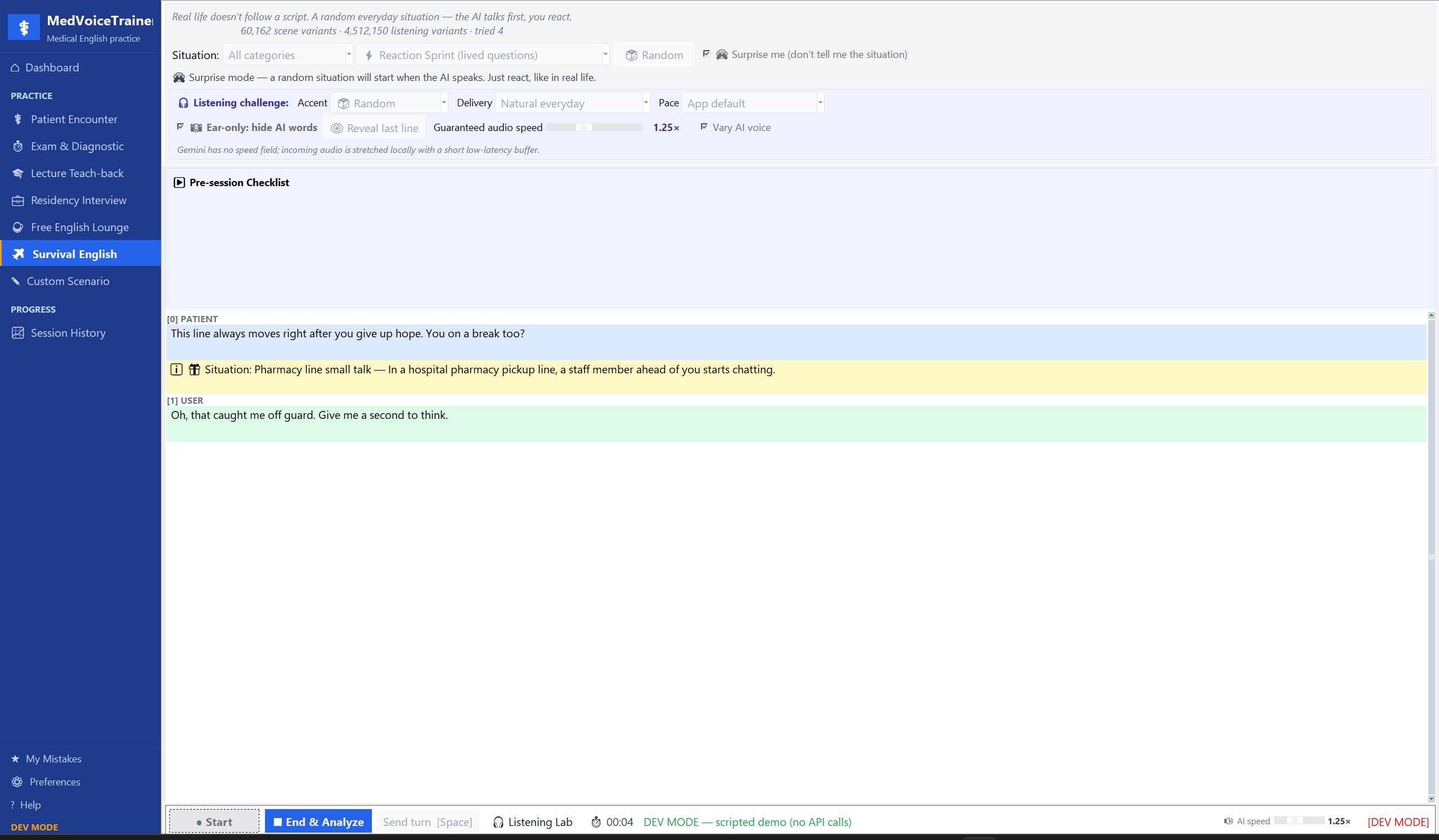
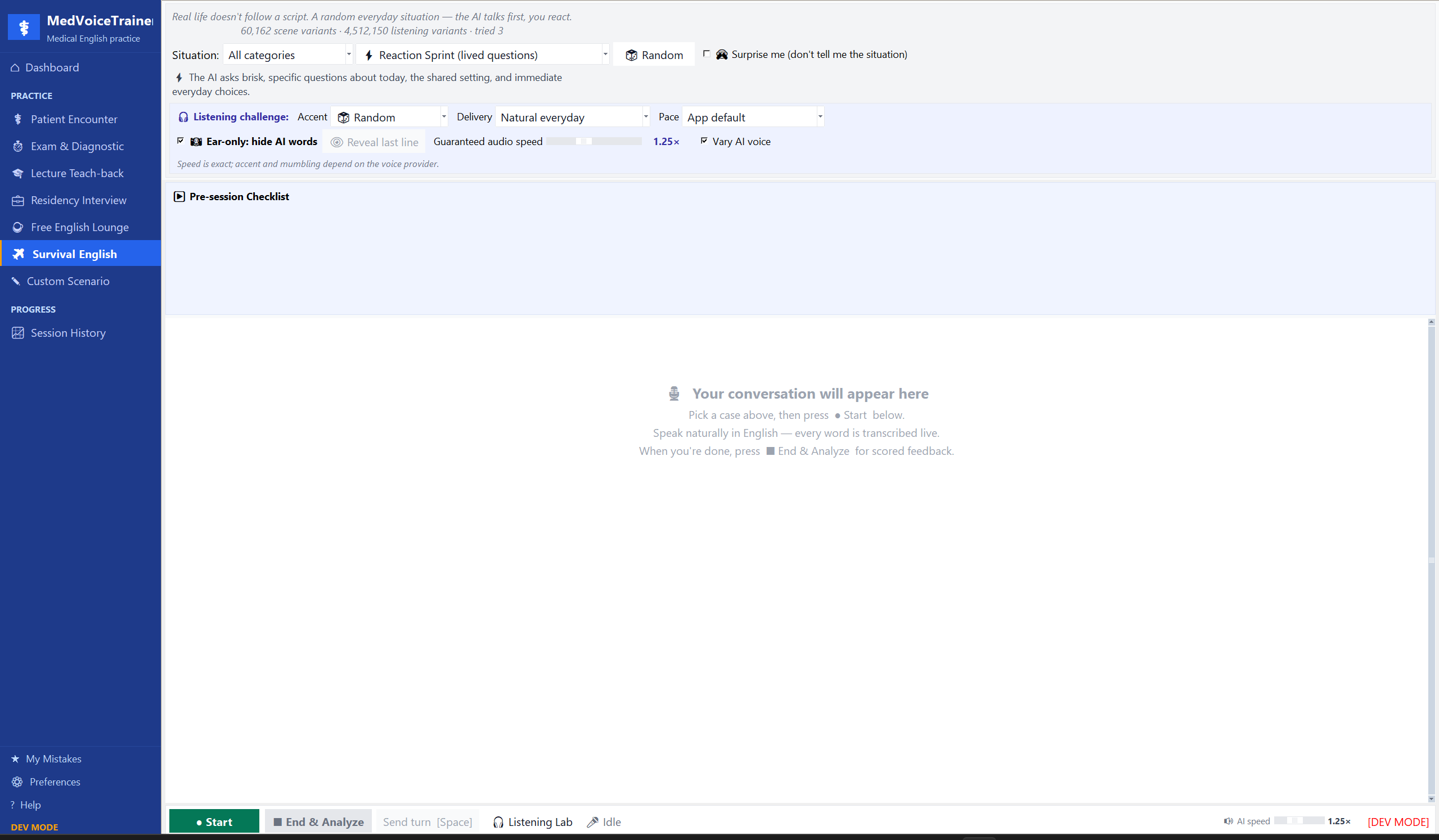
No polished mockup. This is the real desktop app running a surprise everyday scenario with randomized context, hidden AI words, variable voice, and a live transcript. The Android build shares the same training design.
CAPTURE_2026.07.13
01—02A trainer that grows with you
Start before the wards. Keep going when the stakes rise.
Your first English problem in a new country may be a pharmacy line, not a patient history. Build the reflex early—then carry it into clinical conversations.
Pre-med / early years → clinical years
01
Before the wards / Survival English
Train uncertainty before it becomes pressure.
For pre-med and early-year IMGs: everyday situations change their role, goal, detail, voice, accent profile, pace, and delivery. You practice the response—not a memorized line.
Surprise mode hides the situationEar-only listening hides AI wordsVoice and delivery keep rotating
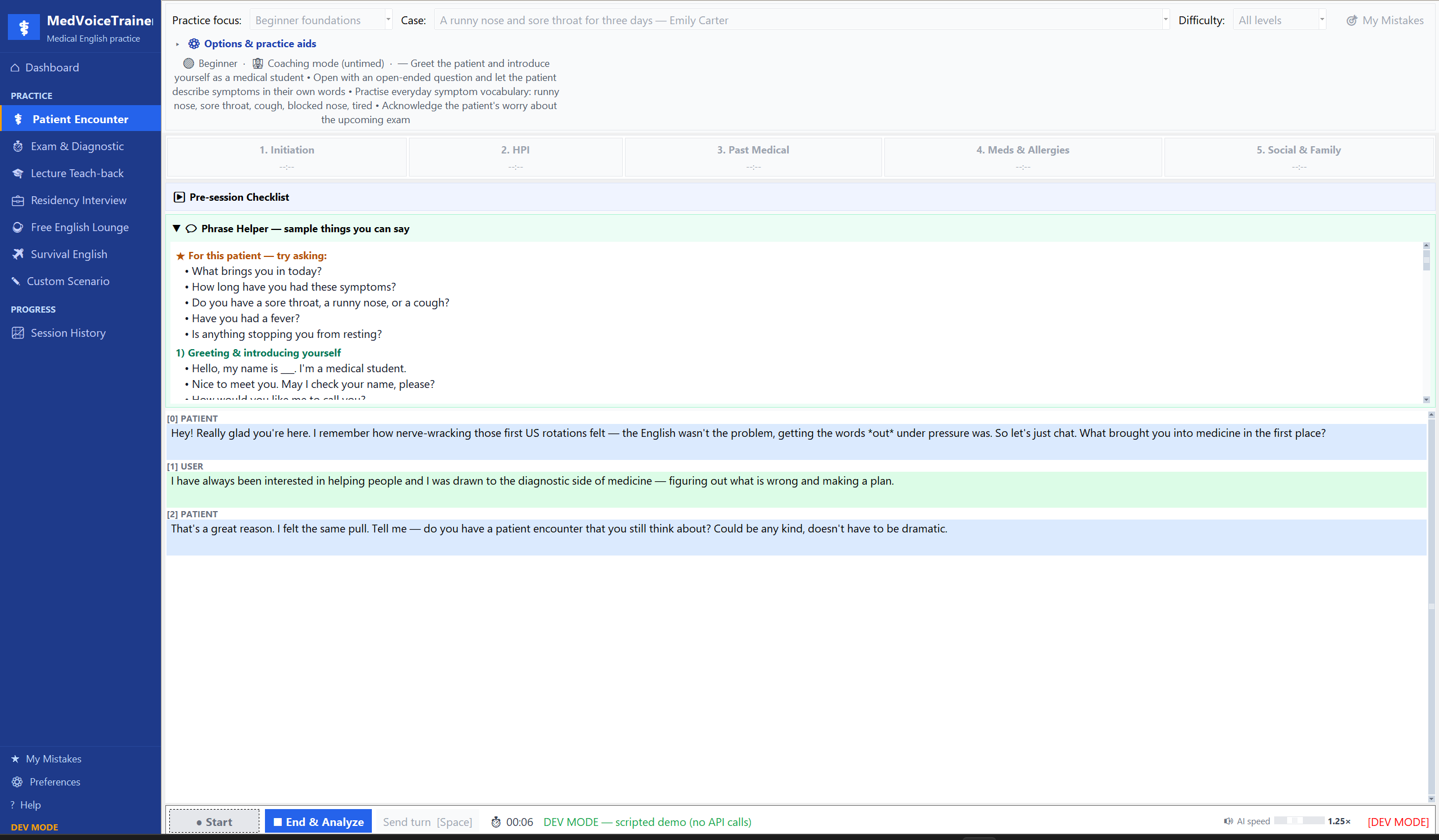
For clinical-year students and graduates: take histories, counsel patients, present to an attending, rehearse OSCE/OET, and prepare for residency interviews with live voice AI.
Live patient transcriptHistory coverage and phrase supportScored feedback after every attempt
Desktop app / Patient encounterLive transcript in progress
03The closed loop
Practice should leave evidence.
The app does not end at “good job.” It shows what you attempted, what broke down, and the one correction worth carrying into the next session.
01 / ORIENT
Know what comes next
Open to a mission, not an empty dashboard.
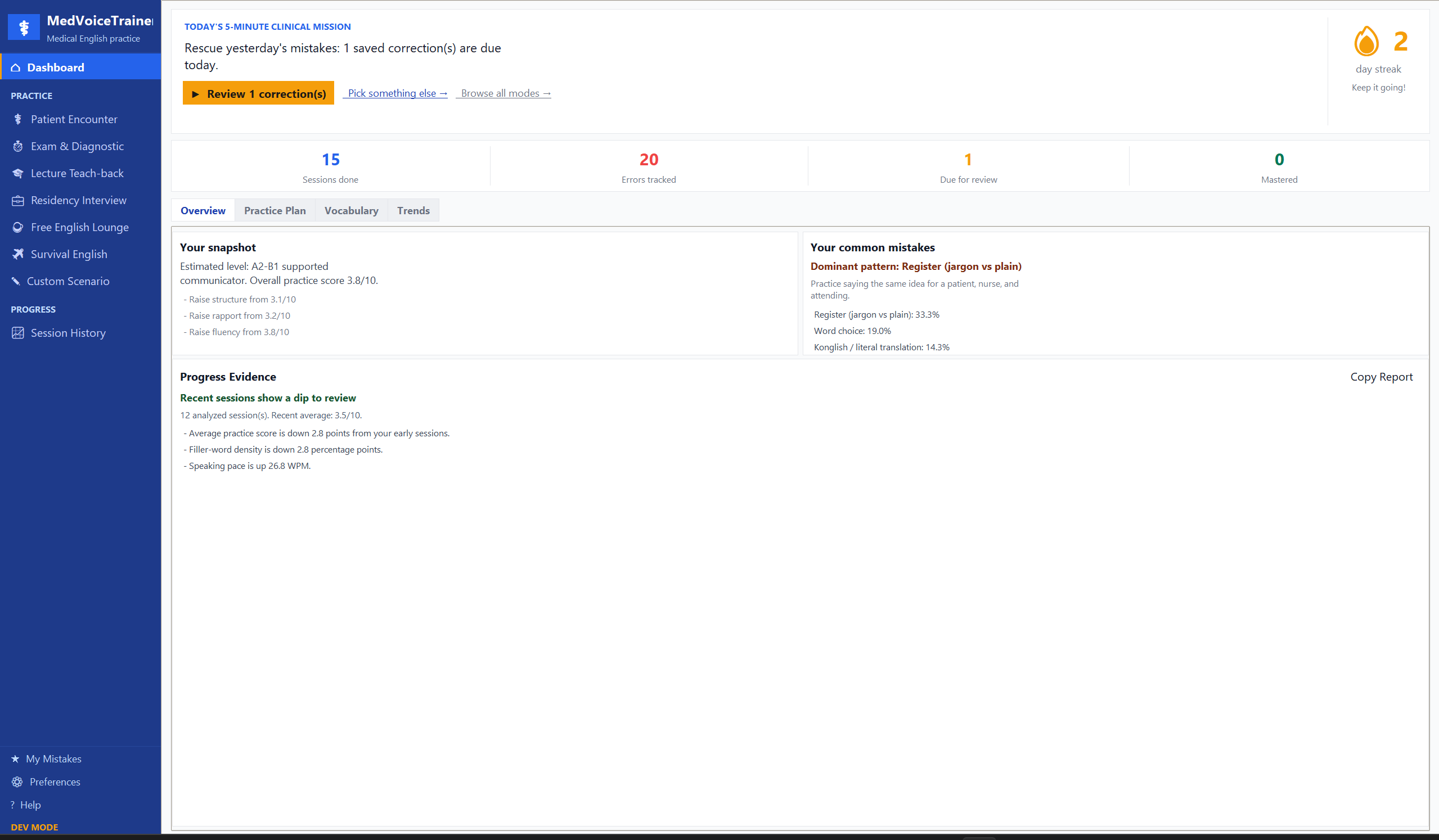
Your history, due corrections, common patterns, and a focused five-minute mission turn past sessions into today’s practice.
Desktop dashboard
02 / SPEAK
Say it before you can polish it
A live conversation exposes the real weak link.
The transcript, patient turns, phrase support, and history phases stay visible while you practice getting the words out.
Desktop live encounter
03 / CORRECT
Fix one thing that matters
The correction becomes the next drill.
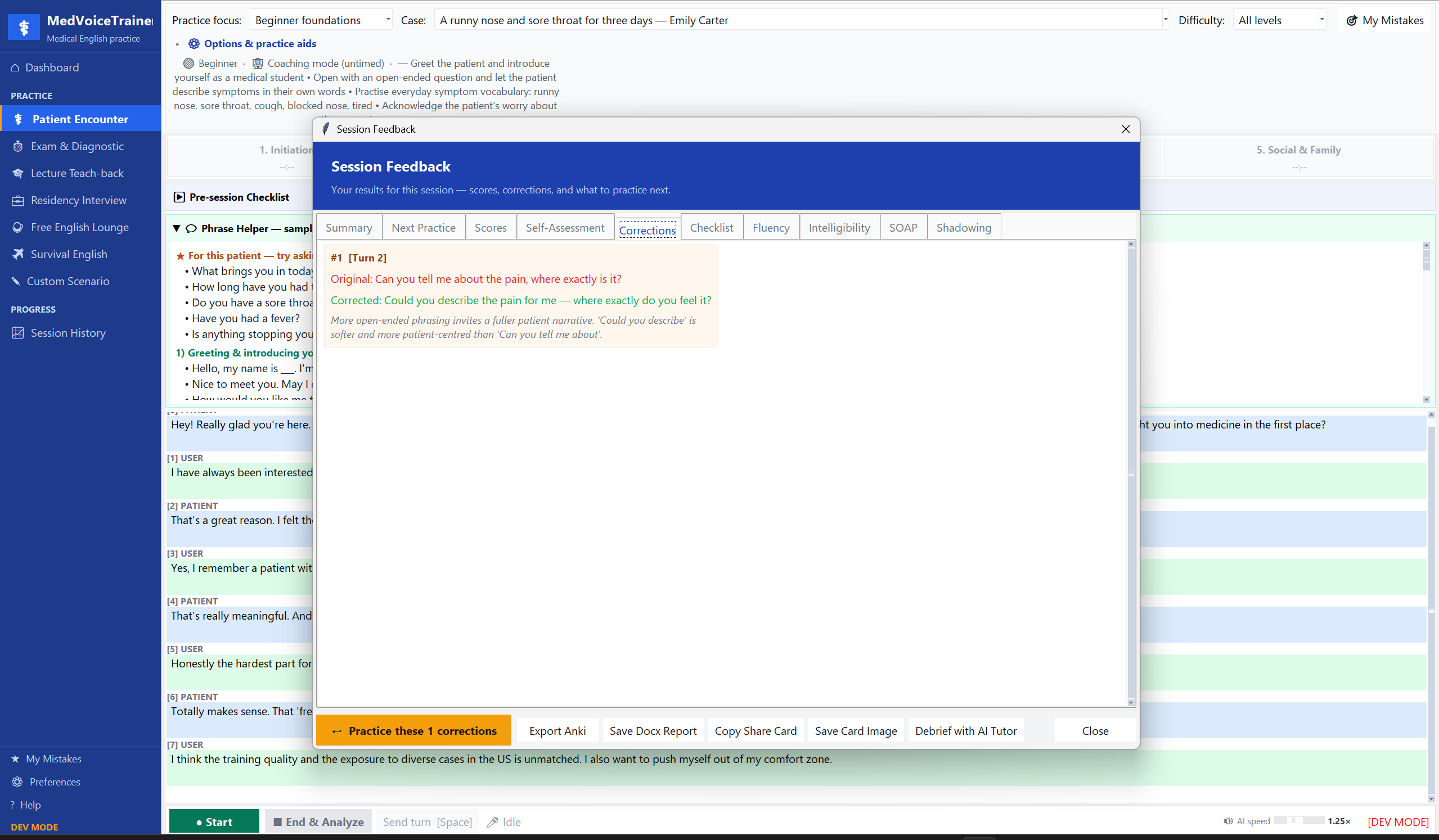
See your original wording, a more natural clinical version, and why it works—then send it directly into targeted practice or spaced review.
Desktop correction report
04 / ALSO INSIDE
Not every weak link needs another roleplay.
Split listening, explanation, interview structure, and recurring errors into the mode that trains them best.
01Listening Lab
Exact-detail drills with changing pace, accent profiles, and real-world noise.
16 DRILLS
02Lecture Teach-back
Explain what you learned to a classmate, tutor, or oral examiner.
FEYNMAN
03Residency Interview
Behavioral, clinical-reasoning, and IMG-specific questions with follow-ups.
11 SCENES
04Mistake Genome
See which patterns keep returning and what deserves review next.
LOCAL DATA
05 / TWO PLATFORMS, ONE TRAINER
Same training design. Windows and Android, both live.
Choose the version that fits where you practice. Windows gives you the full desktop workflow; Android keeps shorter speaking and listening sessions close at hand.
Windows Desktop
Available now
Download the ready-to-run Windows .zip, unzip it, and open the app—there is no installer or store account. macOS and Linux users can run the open-source version themselves.
Direct download, no store accountDemo Mode works without an API keyScreenshots throughout this page are the real app
The awkward version has to come out before the better version can. Your learning history stays on your device, and there is no Bedside English account holding your practice—on desktop or Android.
App accountNo account or Bedside English cloud profileNone
Learning historySessions, mistakes, and progress remain localOn device
Telemetry collectorNot configured in the current buildInactive
AI-powered sessionsNecessary audio or text goes to the provider you chooseDirect
Use fictional or de-identified cases. Provider data handling follows the provider and account you configure. Any future anonymous telemetry activation is opt-in and excludes audio, transcripts, API keys, and free text. Read the full privacy policy.
07 / START
Speak before you feel ready.
Choose Windows or Android and start with the no-key demo. When you want live AI voice and feedback, connect a supported provider with your own API key.
Downloads straight as a .zip — unzip it, open the folder, and double-click MedVoiceTrainer.exe to start (no installer). macOS and Linux aren't packaged yet — run from source using the README instructions.
Now live on Google Play. Prefer to build it yourself? Clone the repo and run it from Android Studio — see the README for setup.
08 / FIELD NOTES
Before your first session.
Bedside English: Talk & Train is a personal open-source practice project, not a clinical system or medical device.
Is this useful before clinical rotations?
Yes. Survival Mode and Listening Lab are specifically useful for pre-med and early-year students who need faster, more flexible everyday English before clinical vocabulary becomes the main challenge.
What is actually random in Survival Mode?
The role, goal, contextual detail, twist, delivery style, voice, and best-effort accent profile can change. The purpose is to train understanding and recovery when the next line is not predictable.
Can I try it without an API key?
Yes. Demo Mode (desktop) and Mock voice mode (Android) run a guided practice flow without a key or microphone. Live AI voice and provider-based analysis require a supported API key.
Is the app completely free?
Both apps are free and open source. Provider-based live AI usage depends on the model, free tier, and plan attached to your own API key.
Why might my operating system show a warning?
Early open-source desktop releases are unsigned, so Windows SmartScreen may say “Windows protected your PC.” Click More info, then Run anyway — the file comes straight from this project’s GitHub Releases, and you’re welcome to inspect the source first.